
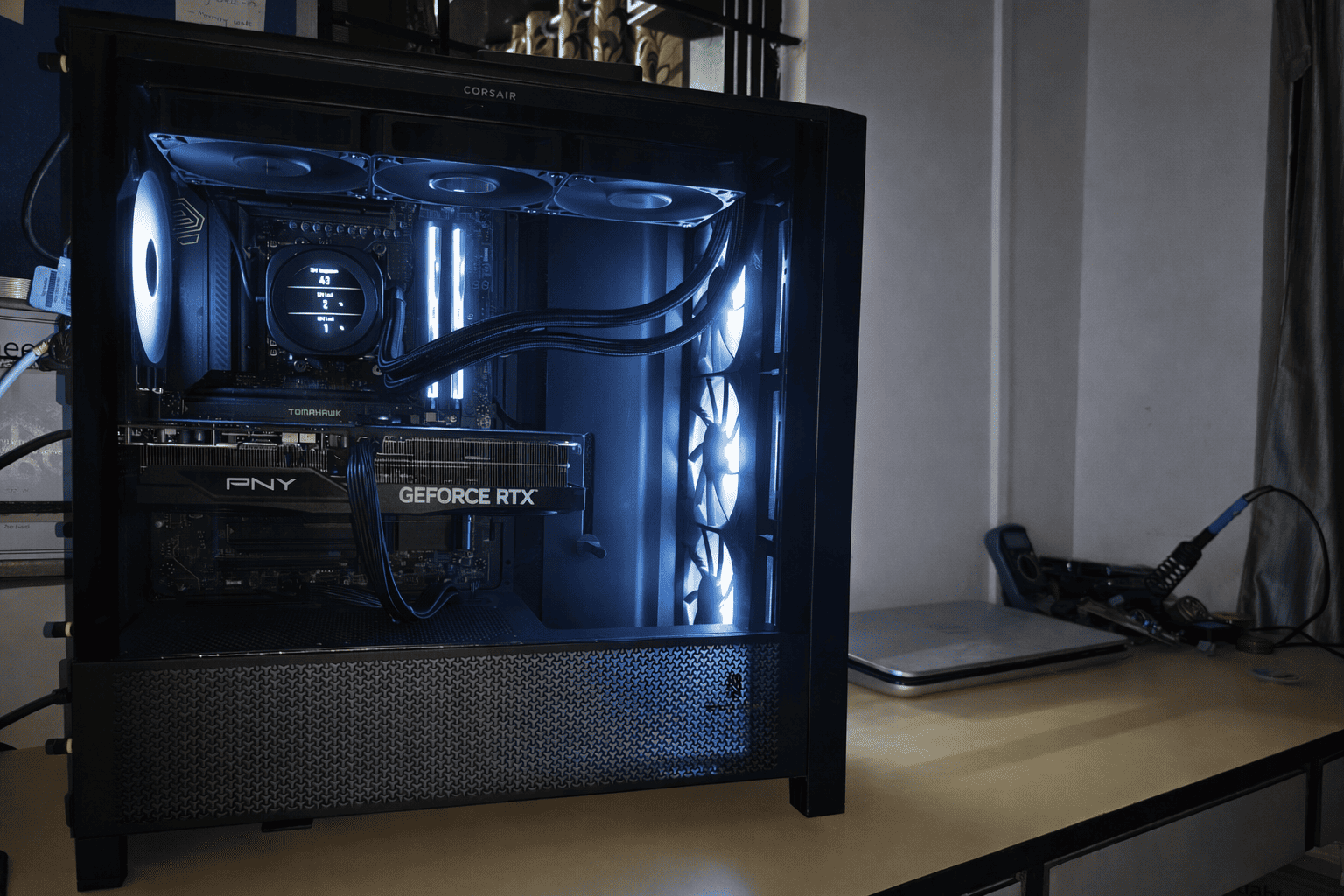
Some dreams are loud and impulsive. Others are quiet, patient, and refuse to die. For nearly five years, building a proper desktop workstation lived rent-free in my head. Not a gaming rig built for weekend bragging rights, but a thoughtfully engineered machine meant for real work — software engineering, AI/ML experimentation, containerized workloads, and the kind of multitasking that makes fans spin up just by opening a browser tab.
Before this machine existed, my old laptop carried me through everything. Purchased back in 2011, it was considered a powerhouse in its time, with a quad-core Intel Core i7, 8 GB of RAM, a 1 TB hard drive, and an NVIDIA GeForce GT 540M with 2 GB of dedicated memory. Incredibly, even in 2025, it could still handle day-to-day tasks. That longevity is not accidental — it’s the result of solid engineering and software that respects hardware. When Windows 11 decided my laptop was no longer worthy of support, Linux stepped in quietly and gracefully. Thanks to Linus Torvalds, Linux Mint ran so smoothly that the laptop never felt obsolete. It retired with dignity, not failure.
What followed was not a purchase, but a process…
For approx six months, I researched every component obsessively. This wasn’t casual YouTube browsing. This was datasheets, memory topology diagrams, VRM phase breakdowns, NAND endurance metrics, transient power spike analysis, thermal imaging reviews, and real-world failure stories buried deep in forums. Every part had to earn its place. The goal was simple but strict: maximum real-world performance, long-term stability, and zero gimmicks.
The foundation of the system is the AMD Ryzen 9 9950X, a 16-core, 32-thread CPU designed unapologetically for productivity. I chose it over x3D variants because my workloads are not benchmark demos or esports titles. They are sustained, multi-threaded, cache-agnostic tasks like builds, data processing, JVM-heavy services, and AI pipelines. The 9950x excels precisely where it matters — consistent boost behavior, excellent IPC, predictable thermals under load, and the ability to stay fast for hours, not seconds. This is not a flashy CPU. It is a serious one.
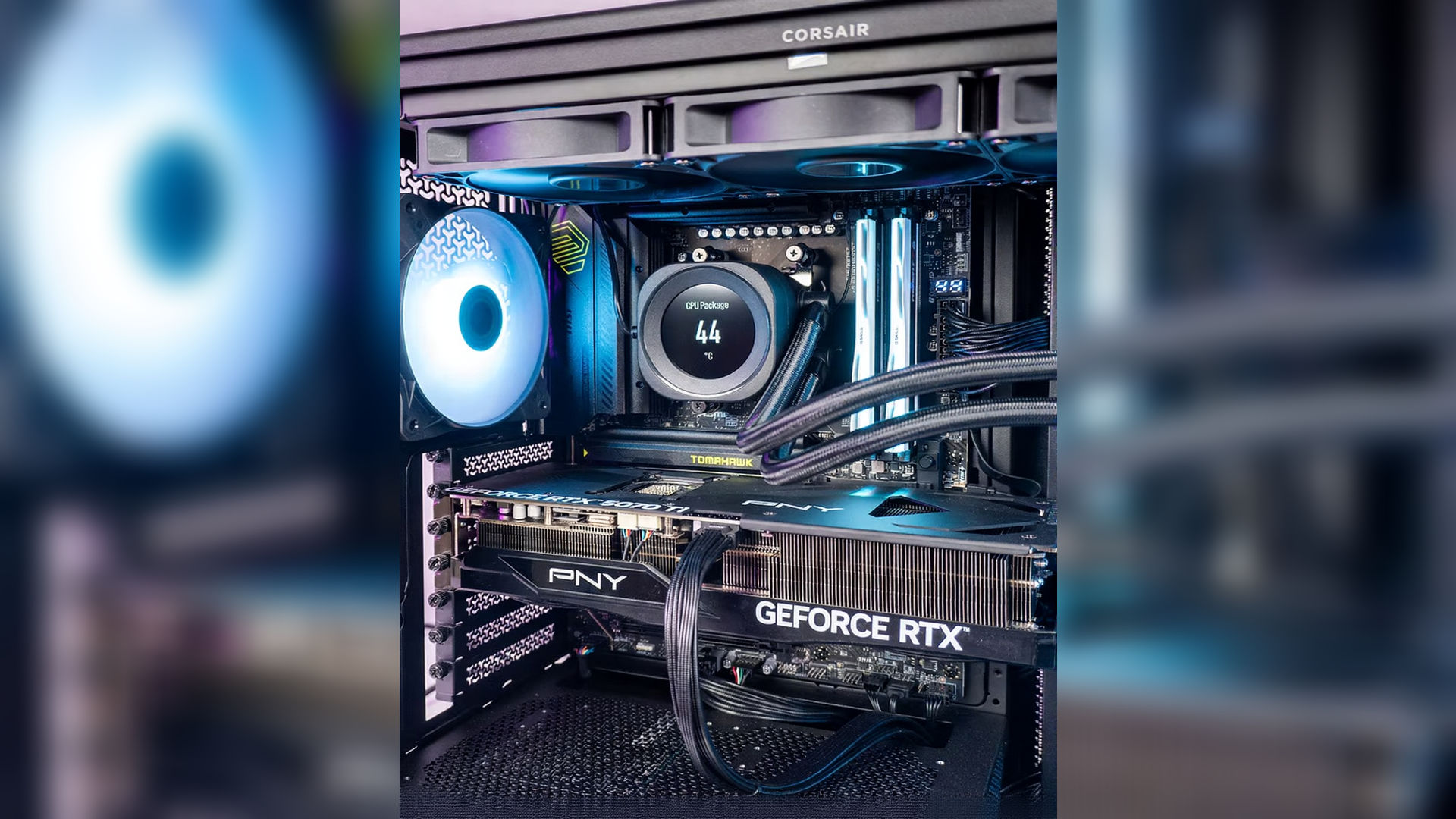
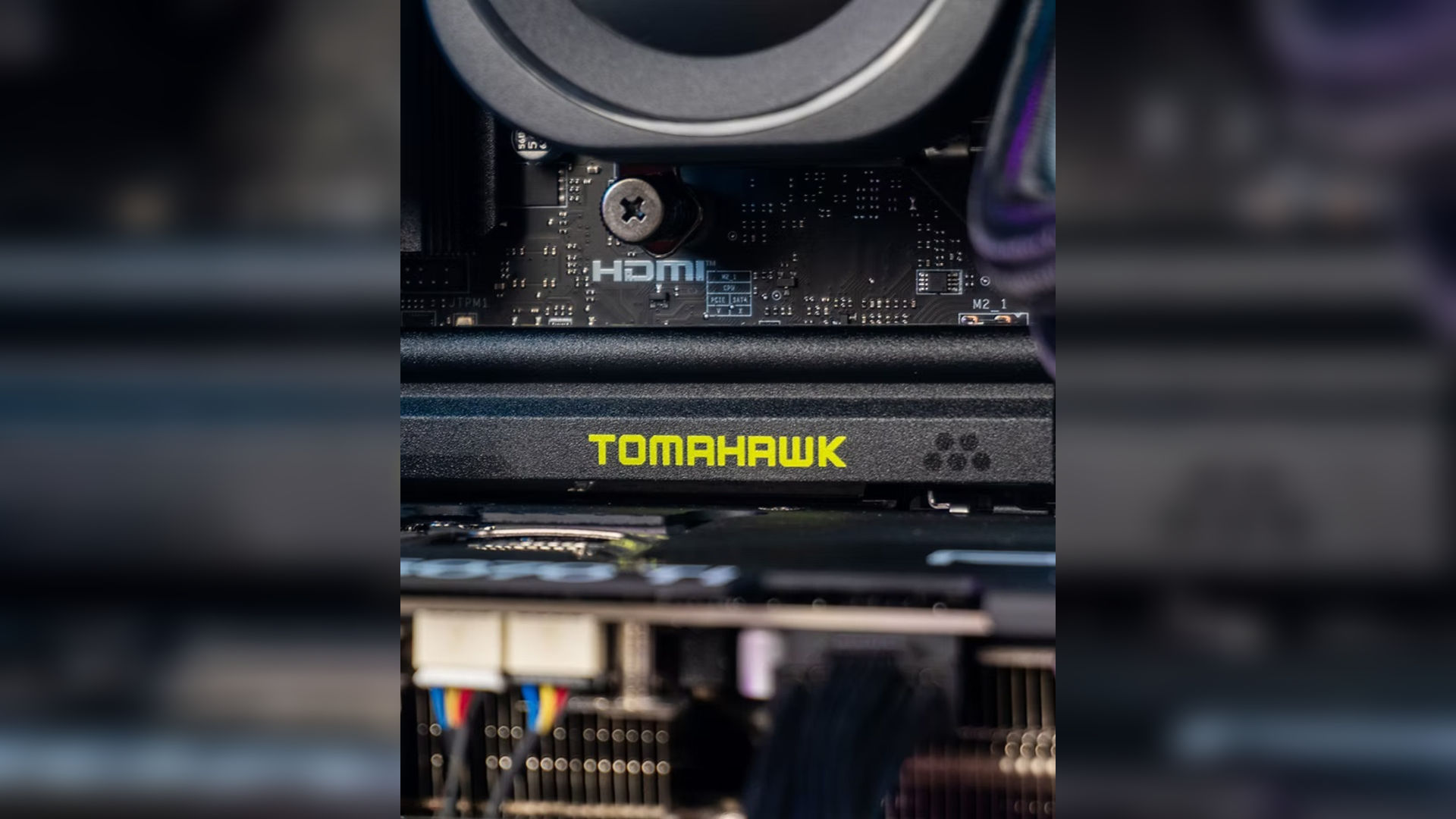
Feeding that CPU required a motherboard that would never become the limiting factor, At the core of my dream PC sits the MSI MAG X870E TOMAHAWK, an ATX-form-factor AM5 motherboard engineered around the cutting-edge AMD X870E chipset that brings forward-looking feature support for Ryzen™ 7000, 8000, and 9000 series desktop processors and a design built to handle whatever flagship silicon I throw at it. The board supports up to 256 GB of DDR5 memory across four DIMM slots with official overclocking profiles that push speeds up to DDR5-8400+ MT/s in 1DPC single-rank setups — meaning my 64 GB G.Skill Trident Z at 6000 MHz CL36 is nestled in a platform capable of much higher headroom should I want to tune further. For power delivery, MSI pairs the X870E with a beefy 14-phase (effectively 14+2+1), 80A Duet Rail VRM design and dual 8-pin CPU power inputs, giving stable current to hungry Ryzen cores — excellent for sustained loads in content creation, compilation, and synthetic benchmarks alike.
Storage and expansion on this board are equally generous: two PCIe 5.0 x4 M.2 slots (CPU-direct) feed ultra-fast NVMe drives like my ADATA Legend 900 Pro, while two additional PCIe 4.0 x4 M.2 slots (chipset-linked) and four SATA 6 Gb/s ports let me stack even more high-speed media. The lone PCIe 5.0 x16 slot fed directly by the CPU is reinforced for heavy GPUs and offers futureproof GPU bandwidth, while ancillary PCIe lanes from the chipset help with add-in cards and peripherals. Connectivity is spectacular: dual USB4 40 Gbps Type-C ports (with DisplayPort passthrough when using an APU), a USB 3.2 Gen2x2 20 Gbps Type-C, multiple USB 10 Gbps and USB 5 Gbps ports, and legacy USB2 headers cover every device you can imagine. Networking comes in the form of Wi-Fi 7 with up to 5.8 Gbps multi-band throughput and Bluetooth 5.4, and a Realtek 8126 5 GbE LAN port for wired stability. Audio duties are handled by a high-fidelity Realtek ALC4080 codec capable of 7.1-channel up to 32-bit/384 kHz playback, keeping sound crisp whether I’m gaming or editing media. MSI’s thoughtful touches — like EZ PCIe Release for easy GPU removal, EZ Debug LEDs, robust heatsinks with thermal pads, and an eight-layer server-grade PCB — make the board both resilient and enthusiast-friendly, establishing it as a cornerstone of my build that isn’t just about specs but about real-world performance and expandability.
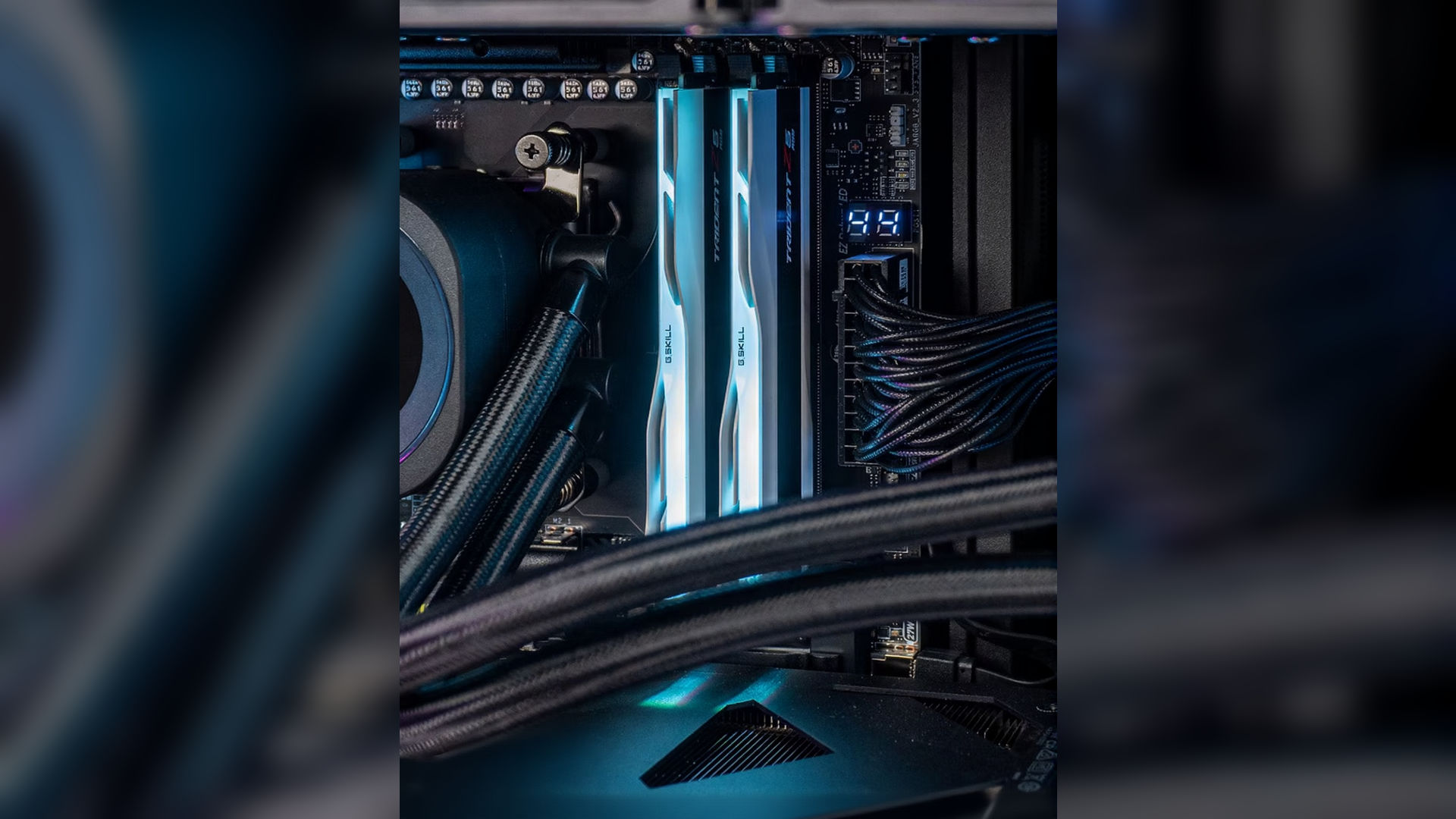
When it came to picking memory for this beast of a build, I didn’t just slap in the first kit I saw — I chose G.Skill Trident Z5 RGB 64GB (32GB×2) 6000MHz CL36 DDR5 Memory, a kit that hits the perfect sweet spot between speed, latency, capacity, price, and real-world performance. This is DDR5 memory rated at 6000 MT/s, which in today’s hardware landscape is widely considered the sweet spot for AMD AM5 platforms like mine — offering excellent bandwidth without the headaches of chasing ultra-high frequencies that often need excessive tuning or voltage adjustments. Each module pair runs at 6000 MHz with tight 36-36-36-96 timings (CAS36) and a tested voltage of 1.35 V — meaning it balances latency and throughput efficiently for both creative workloads and gaming. Technically speaking, DDR5 doubles things up compared to DDR4 by offering two 32-bit channels per DIMM, higher bank counts, and larger burst lengths, translating into significantly more effective bandwidth — which my Ryzen system loves. Each module sits behind a beautifully machined aluminum heat spreader with streamlined RGB lighting — not just eye candy, but practical thermal dissipation that helps keep those ICs stable under load.
I specifically gravitated toward this CL36 kit because during this chaotic global DRAM shortage and price volatility, tighter timings like CL30 or CL32 were astronomically priced or simply unavailable, and memory was being scalped thanks to unprecedented demand from AI datacenter builds eating up supply. Choosing CL36 at 6000 MHz gave me excellent latency-to-bandwidth balance without breaking the bank — so I could maximize both capacity (a future-proof 64 GB) and responsiveness for everything from massive browser tabs to compiling code, virtual machines, and working datasets without hitting any bottlenecks. In short, this RAM feels like the practical extreme-performance choice in 2025 — not the absolute peak on paper, but the smartest real-world pick for a high-end AMD build that actually gets used hard.
Storage is handled by the ADATA Legend 900 Pro NVMe SSD. While headline sequential speeds are impressive, what mattered more to me was sustained performance, controller reliability, and thermal behavior under continuous load. This drive handles operating system duties, development environments, Docker images, and large datasets effortlessly. It is partitioned into a system volume and a data volume — not because it’s fashionable, but because organization still matters when projects scale.
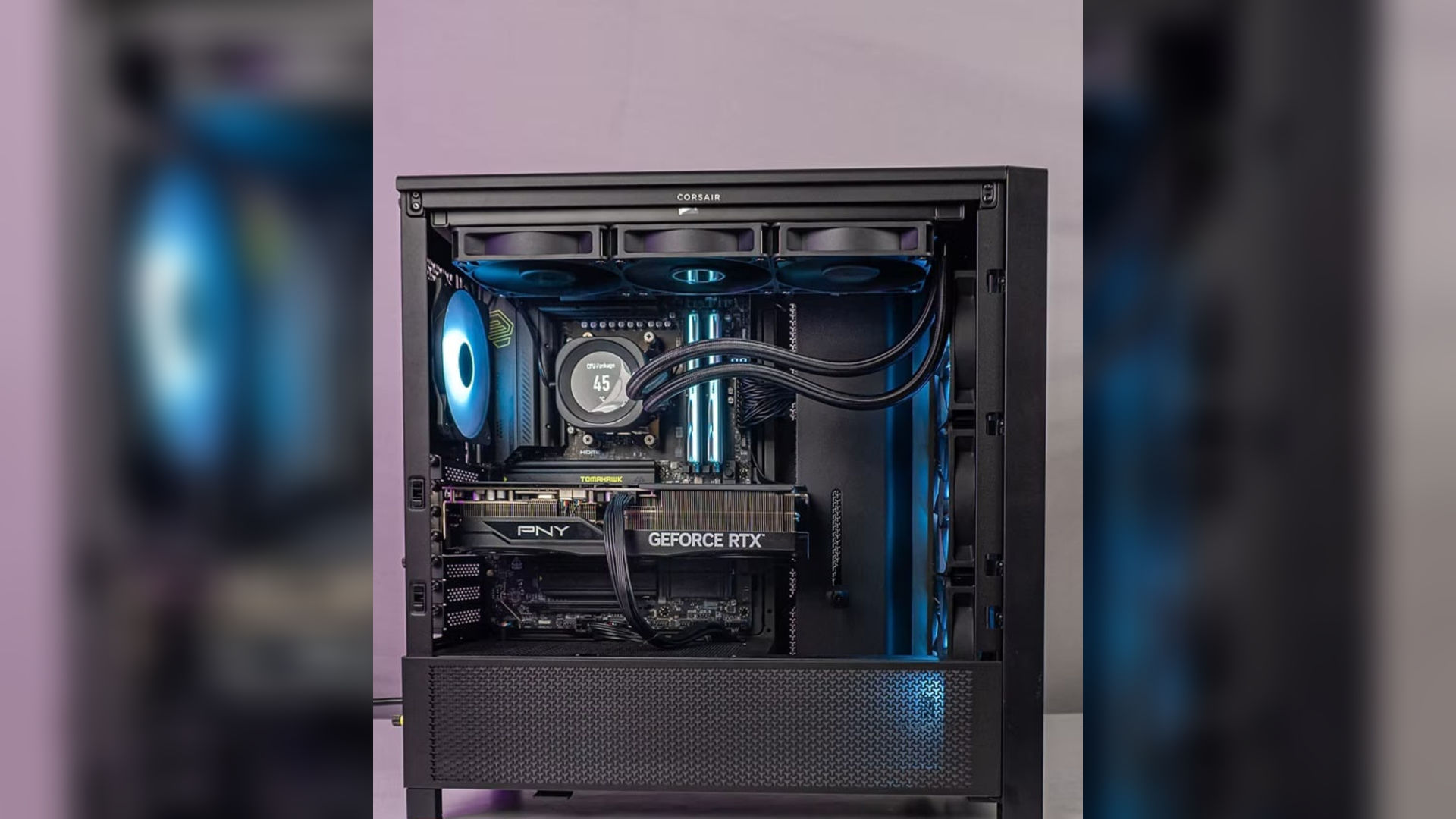
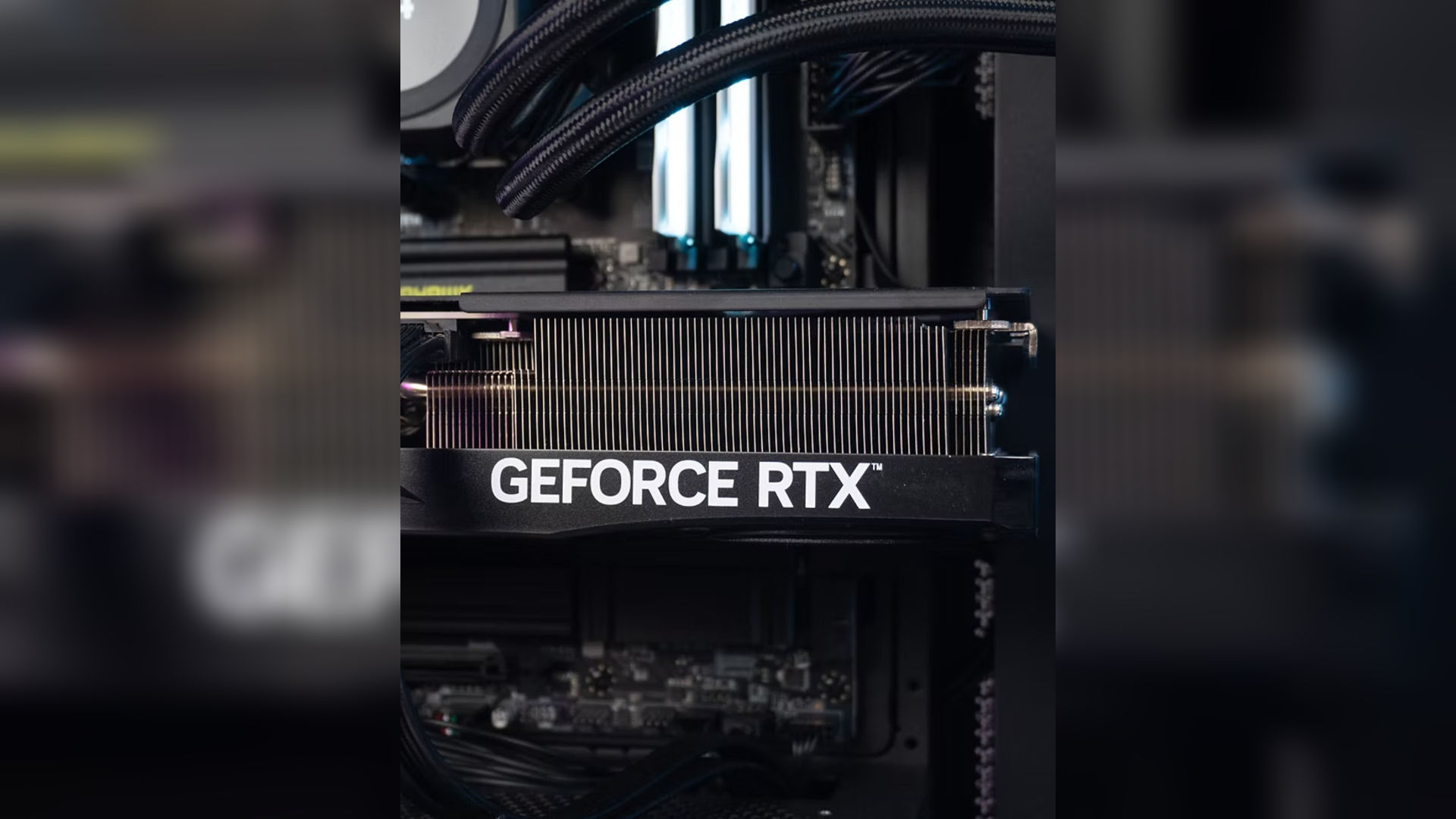
For the graphics powerhouse in my dream build, I went with the PNY GeForce RTX 5070 Ti, a non-OC variant that still packs the full firepower of NVIDIA’s latest Blackwell architecture without the factory overclock premiums. At its core, this GPU boasts a prodigious 8,960 CUDA cores, the massively parallel shader units that drive rendering, compute, and general GPU throughput — a substantial jump over lower tier models and a key reason it chews through modern game engines and GPU-accelerated tasks with ease. According to NVIDIA’s official RTX 5070 family specs, the card delivers up to ~1406 AI TOPS of AI accelerator performance, powered by fifth-generation Tensor cores, which fuel next-gen features like DLSS 4 with Multi-Frame Generation and AI-enhanced denoising and upscaling for both games and creative apps. It also includes fourth-generation Ray Tracing cores capable of about 133 TFLOPS of ray-traced compute, allowing much more realistic lighting, reflections, and shadows compared to older generations.
Memory bandwidth didn’t get left behind either — the RTX 5070 Ti sports 16 GB of ultra-fast GDDR7 VRAM on a 256-bit bus with around 896 GB/s of throughput, ensuring massive texture pools and data movement capacity for 4K gaming, high-resolution content creation, and GPU compute workloads. The card runs over PCIe 5.0 x16, matching my AM5 platform’s next-gen bandwidth standards, and supports the latest display outputs (DisplayPort 2.1b and HDMI 2.1) for high-refresh 4K and even 8K panels. It hits an efficient ~300 W TDP, which plays nicely with my Deepcool PN1000M PSU and makes cooling manageable even under prolonged load. While I chose a non-OC board partner SKU to keep thermals and acoustics in check (and avoid unnecessary price premiums), the underlying silicon still delivers the same architectural advantages — blazing-fast compute, rich AI feature support, and future-proof video memory capacity — making it a perfect companion to both my gaming ambitions and creative workflows in 2025.
Powering everything is the DeepCool PN1000M, a 1000W 80+ Gold fully modular power supply. Modern GPUs are infamous for transient power spikes that can stress lesser PSUs, and I wanted headroom without inefficiency. This unit provides stable power delivery, runs cool and quiet, and leaves ample room for future upgrades. Power supplies are unglamorous until they fail — so choosing one that won’t is always the right call.
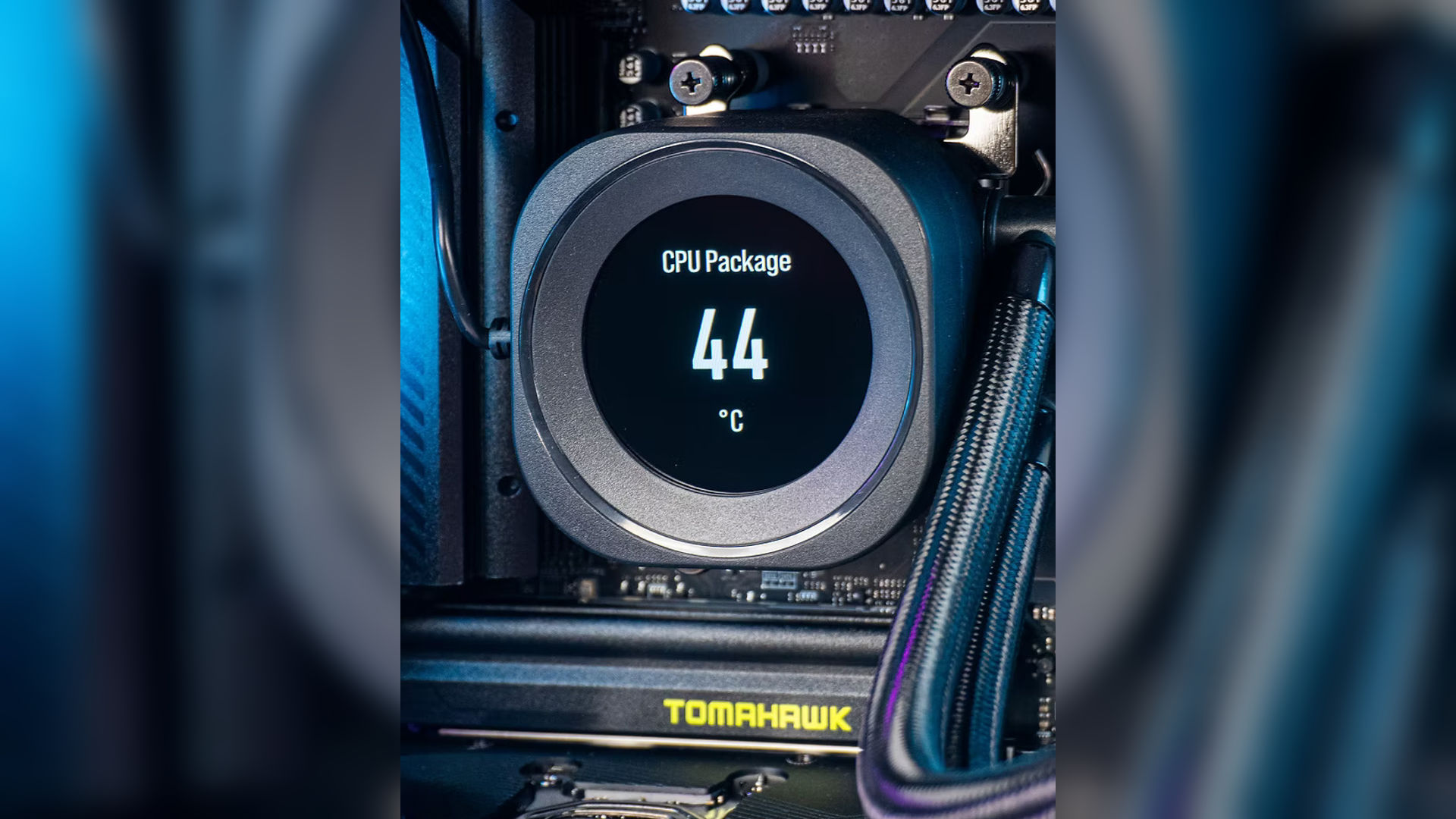
Cooling is handled by the Corsair Nautilus RS LCD 360mm AIO, which ensures the Ryzen 9 9950X remains well within thermal limits even during sustained workloads. The large radiator provides thermal headroom, allowing boost clocks to remain consistent rather than oscillating under heat stress. The LCD display is a nice bonus — useful, tasteful, and just indulgent enough to make monitoring enjoyable.
All of this hardware lives inside the Corsair 4000D Airflow, a case that prioritizes thermodynamics over theatrics. Excellent airflow, sensible internal layout, and clean cable management make it an ideal home for high-power components. It doesn’t try to impress — it just works, and works well.
In the middle of ongoing RAM and NAND shortages, I decided not to wait for a mythical perfect moment. Hardware will always be one launch away from something better. On 26th December, the system was assembled and powered on. The first benchmarks confirmed what months of research had promised — stable thermals, excellent performance, and a system that feels effortless under load.


Benchmarks
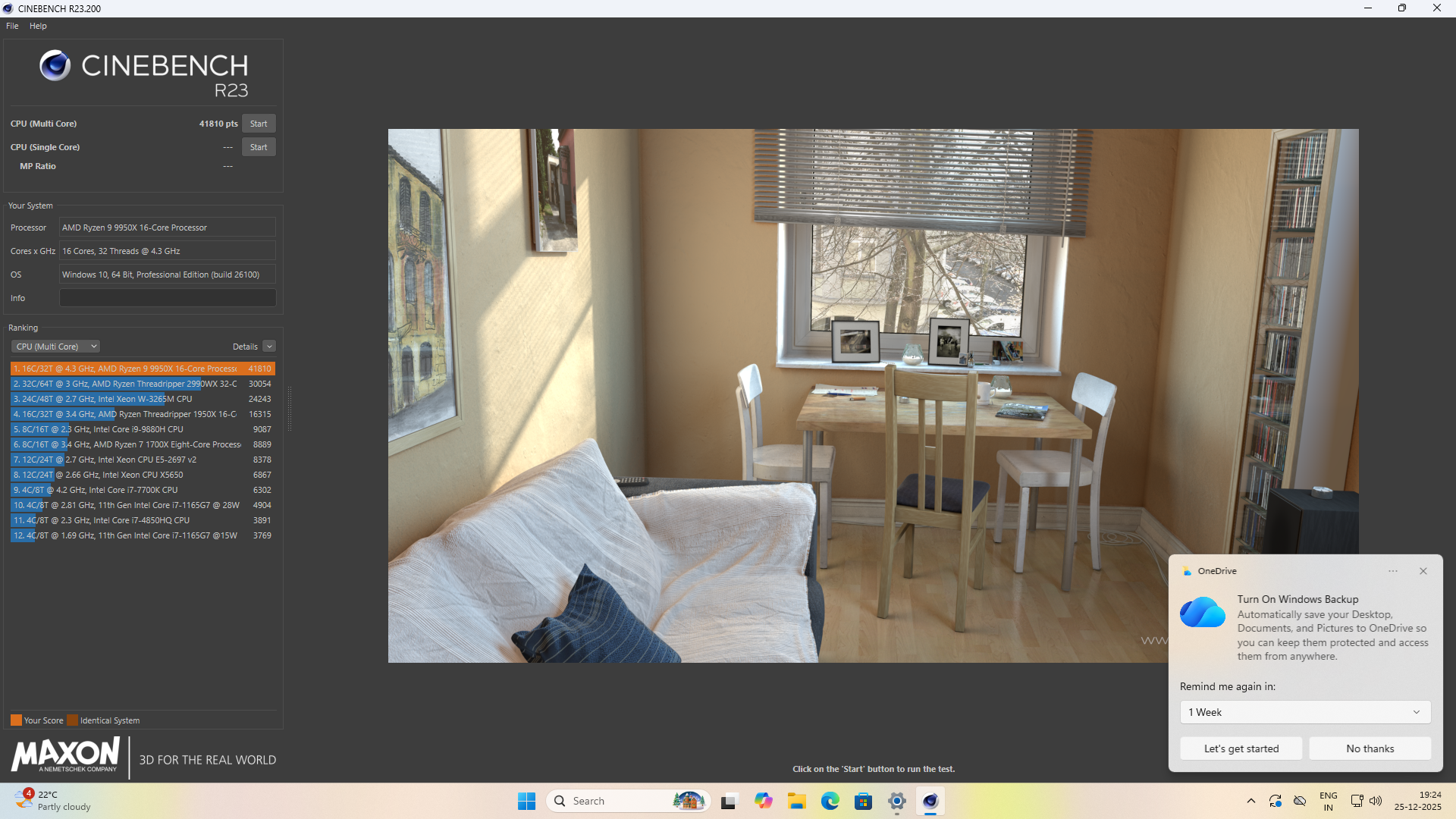
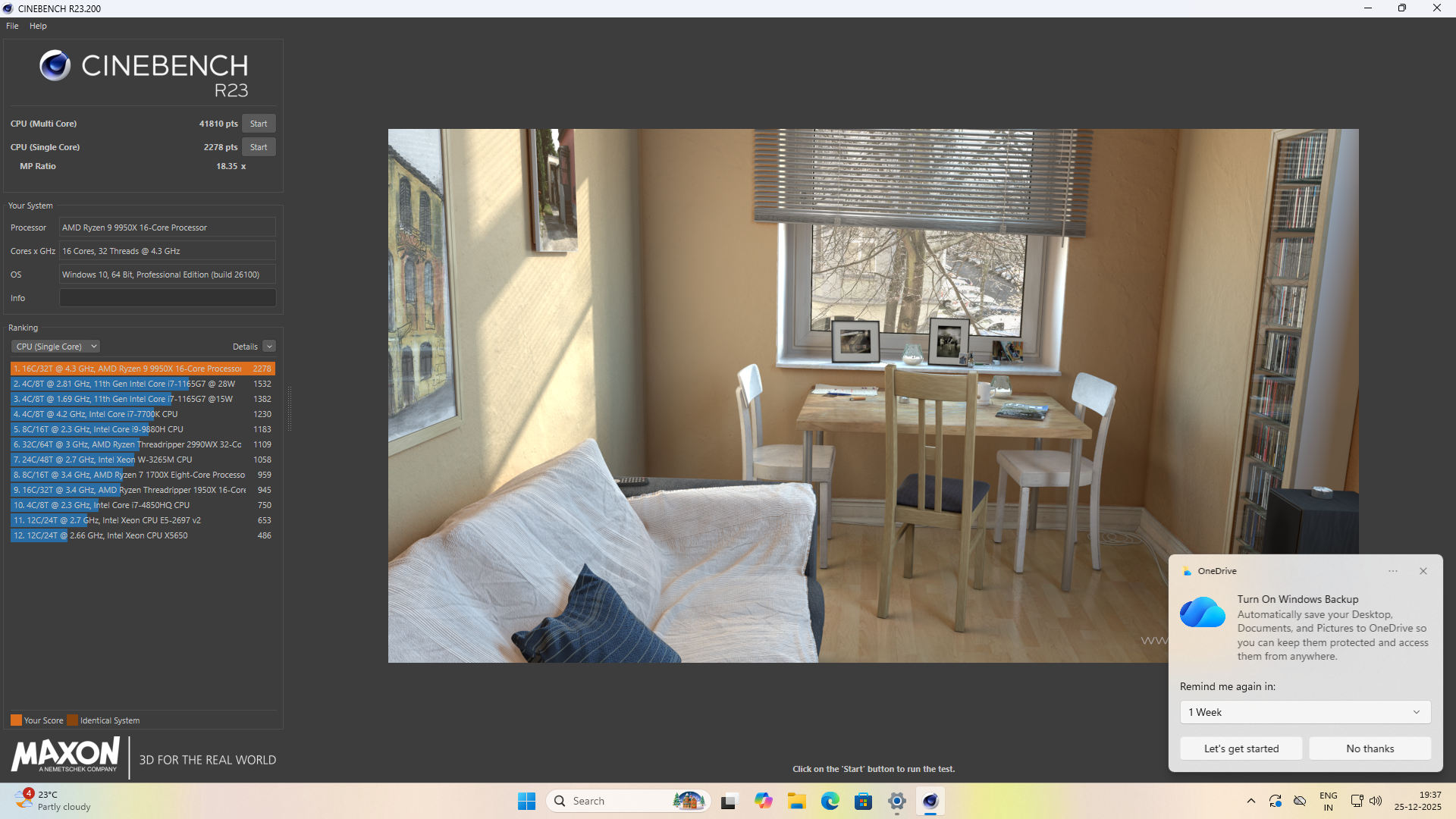
Once the build was complete, it was time to do what every engineer secretly enjoys — validating months of research with cold, hard numbers. started with Cinebench R23, where the Ryzen 9 9950X immediately proved why it’s regarded as a productivity monster. The system consistently scored around 41,800+ points in the multi-core test, placing it firmly among the top-tier desktop CPUs available today, while the single-core score of ~2,275 confirmed excellent per-thread performance as well. What impressed me more than the raw numbers was the stability: clocks held steady throughout the run, thermals stayed controlled, and there was no sign of throttling — a clear indication that the VRM design of the motherboard and the 360 mm AIO cooling were doing exactly what they were chosen for.
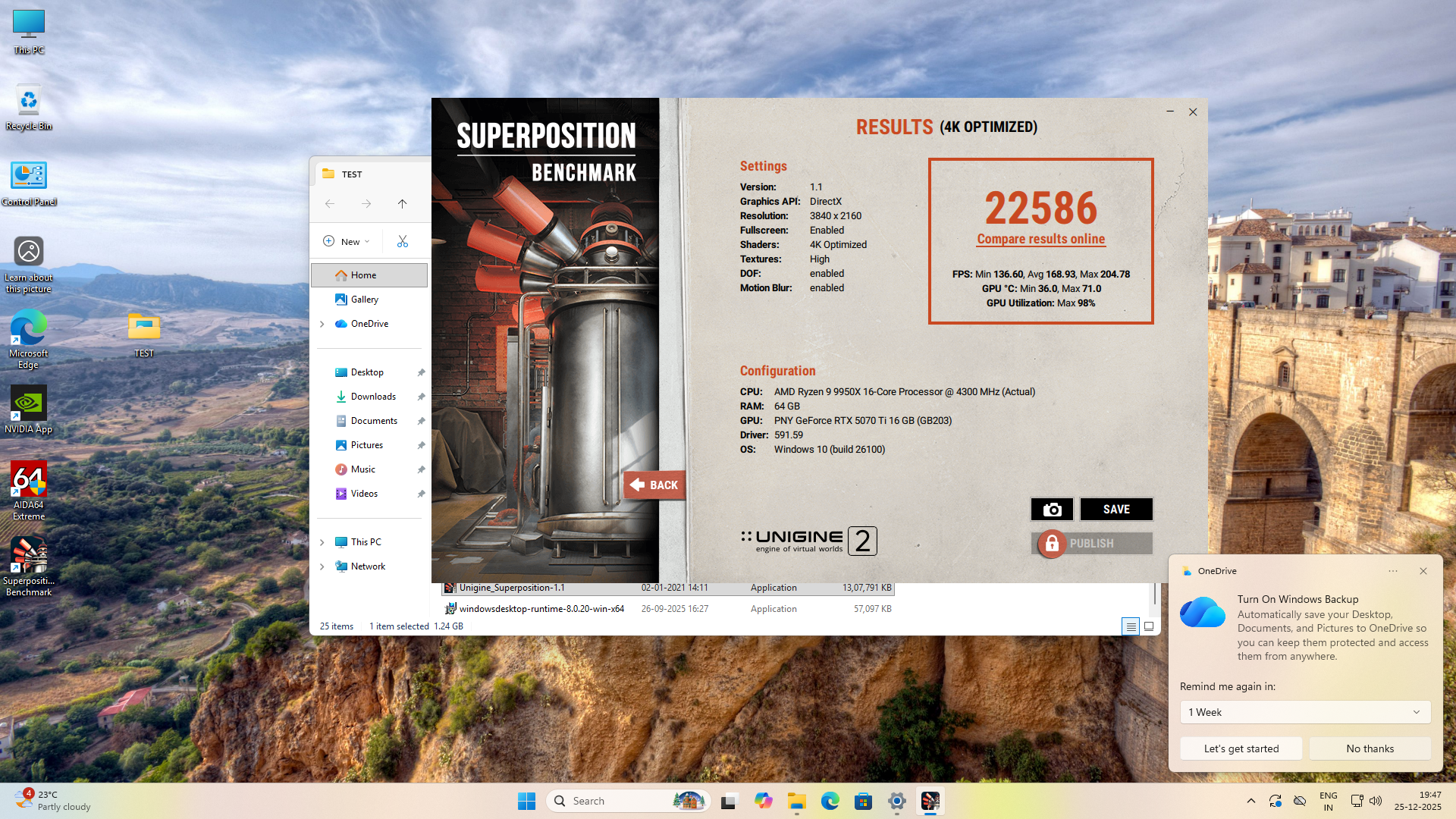
On the GPU side, I ran the Unigine Superposition benchmark at 4K Optimized settings, which is a solid real-world stress test for modern GPUs. The PNY RTX 5070 Ti (Non-OC) delivered a score of 22,586, with an average FPS close to 169, peaking above 200 FPS, all while maintaining high GPU utilization and reasonable temperatures. This confirmed that even without a factory overclock, the card has ample headroom and performs exactly where it should — powerful, efficient, and predictable under load.
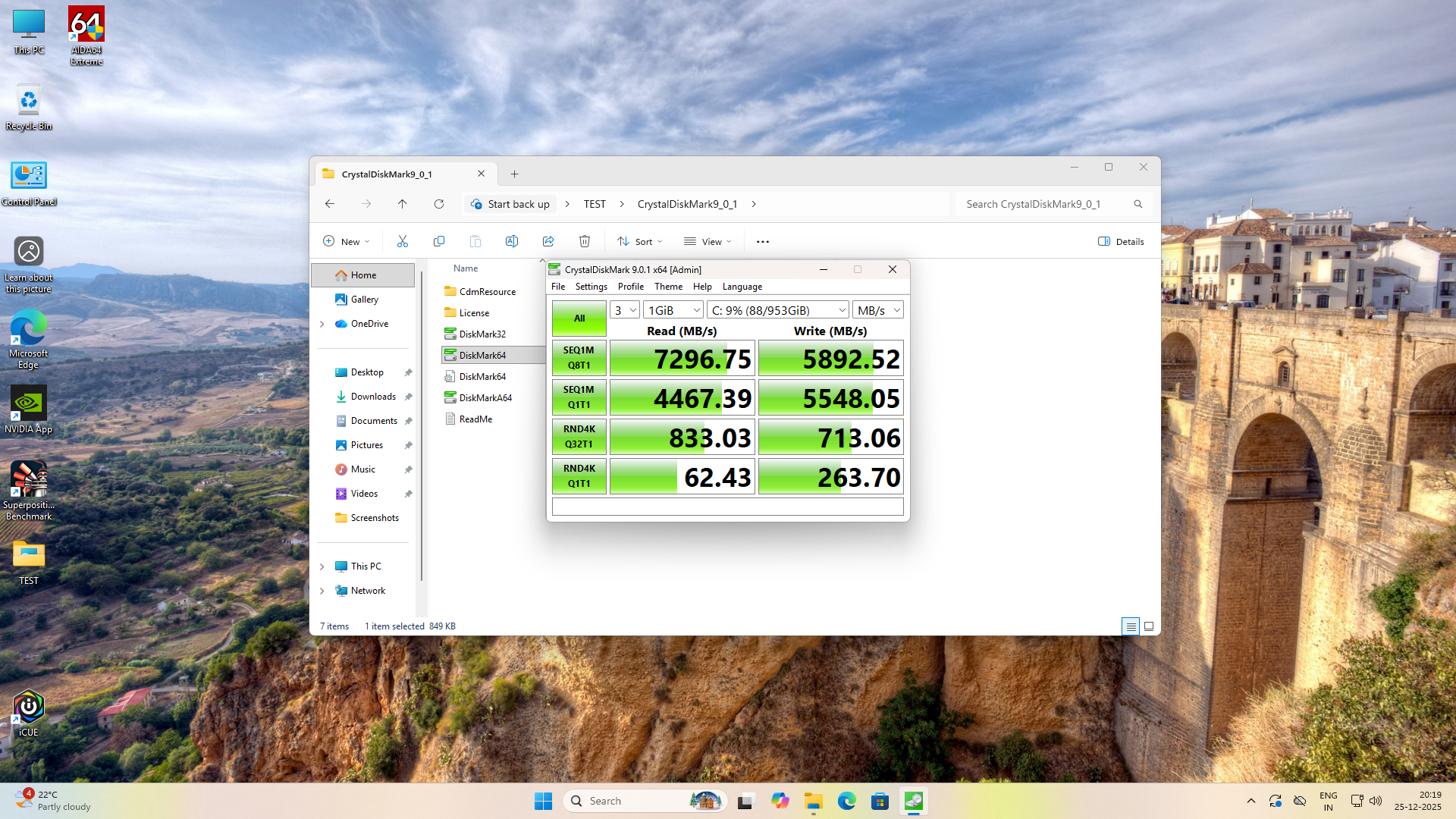
Storage performance was validated using CrystalDiskMark, where the ADATA Legend 900 Pro NVMe SSD showed sequential read speeds of ~7.3 GB/s and write speeds nearing ~5.9 GB/s, fully saturating PCIe Gen4 bandwidth and translating into instant application launches, fast project loads, and zero I/O bottlenecks during heavy workflows. Random I/O numbers were equally strong, which matters far more in day-to-day use than headline sequential figures.
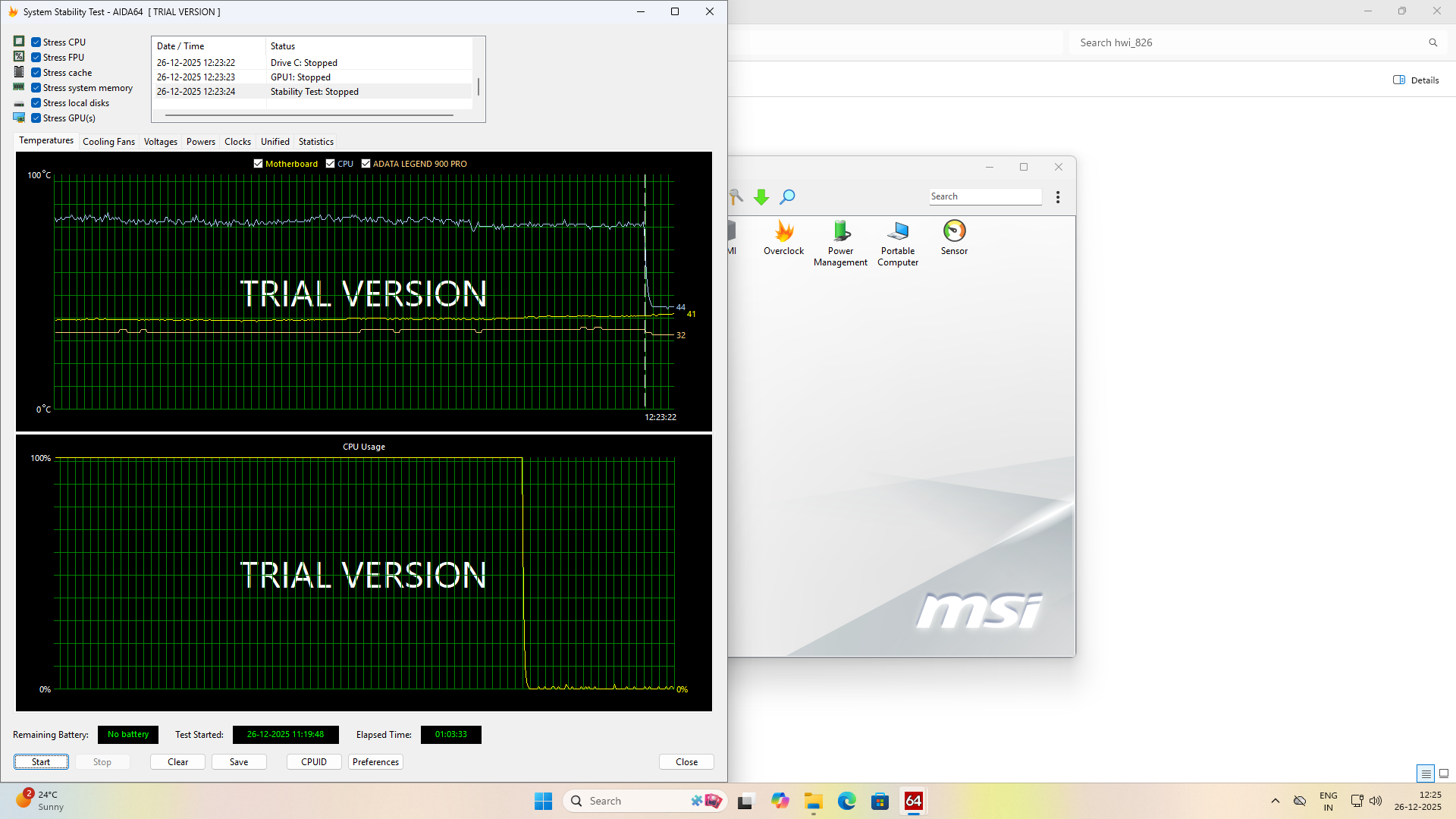
Finally, I ran extended AIDA64 system stability tests, stressing the CPU, cache, memory, GPU, and storage simultaneously. Even after prolonged load, the system remained rock solid — temperatures stayed within expected ranges, power delivery was stable, and there were no dips or erratic behavior. This was perhaps the most satisfying result of all, because it confirmed the real goal of this build: not just peak benchmark scores, but sustained, reliable performance that can be trusted for long work sessions. In short, the benchmarks didn’t just look good — they validated every design decision that went into this machine.
Final Configuration Summary
| Component | Model |
|---|---|
| CPU | AMD Ryzen 9 9950X (16 Core, 32 Threads) |
| Motherboard | MSI MAG X870E Tomahawk WiFi |
| RAM | 64 GB G.Skill Trident Z DDR5 6000 MHz CL36 |
| GPU | PNY GeForce RTX 5070 Ti (Non-OC) |
| Storage | ADATA Legend 900 Pro NVMe SSD |
| PSU | DeepCool PN1000M (1000W, 80+ Gold) |
| Cooling | Corsair Nautilus RS LCD 360mm |
| Case | Corsair 4000D Airflow |
This machine is not about chasing specs. It’s about respect for engineering, patience in decision-making, and building something that will remain relevant for years. After five years of waiting and months of research, this system represents a personal milestone — and yes, watching benchmarks fly still makes me smile.